
Manage every mapper.
Pay every task.
Mikro syncs your Tasking Manager and MapRoulette work, tracks time and quality, and handles micropayments — all in one place for your whole mapping team.
Built for OpenStreetMap teams · Sign in with your organization account
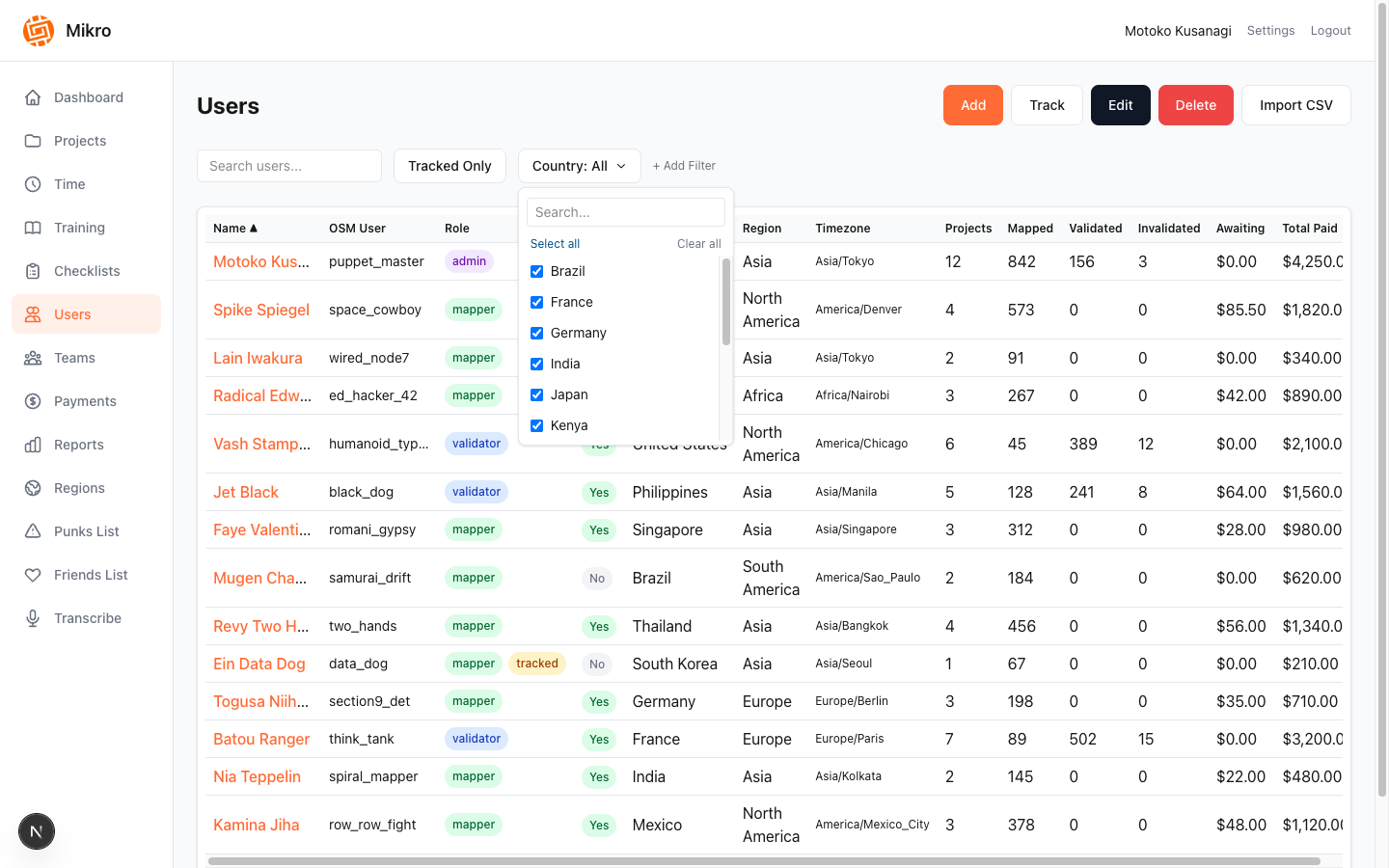
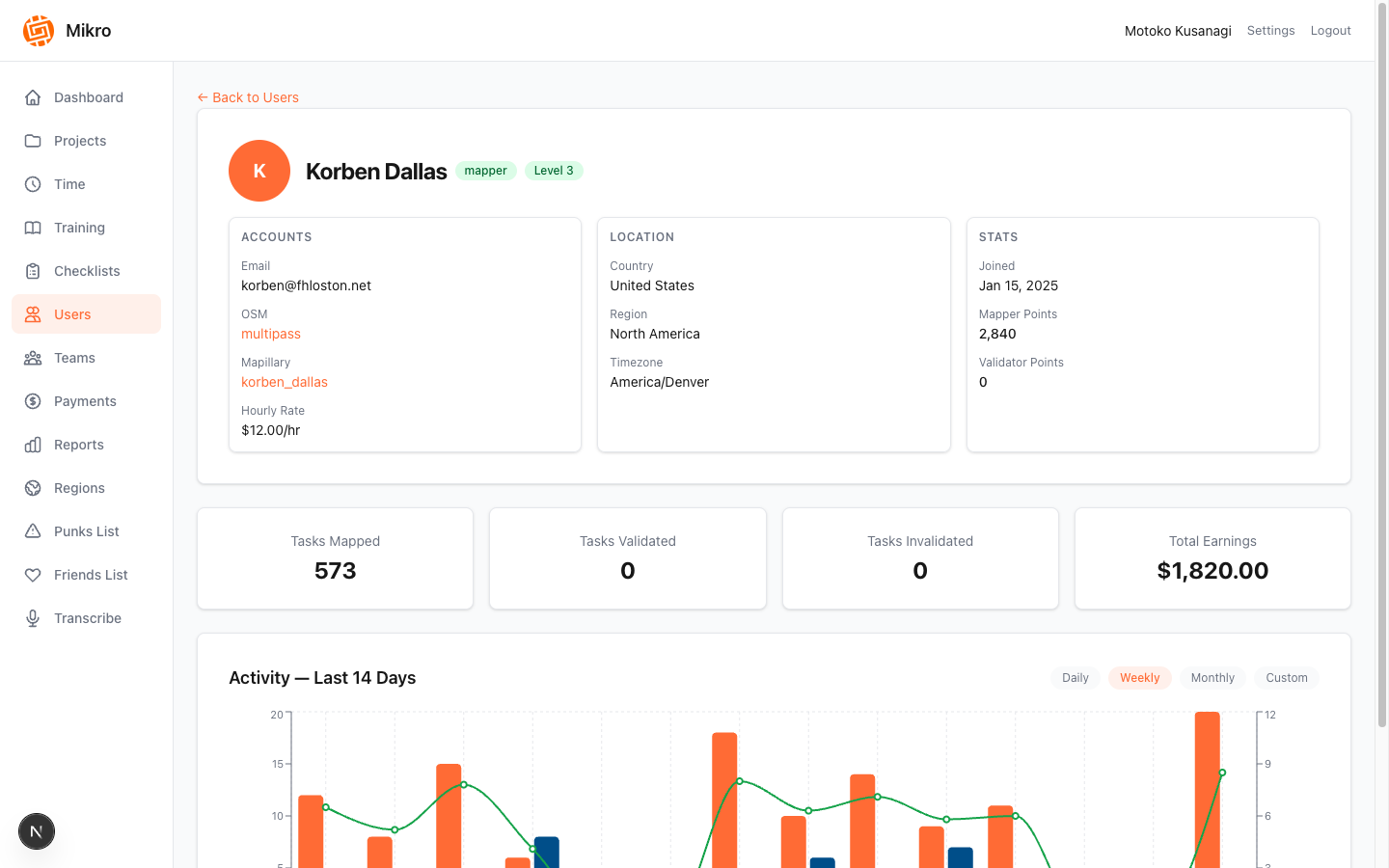
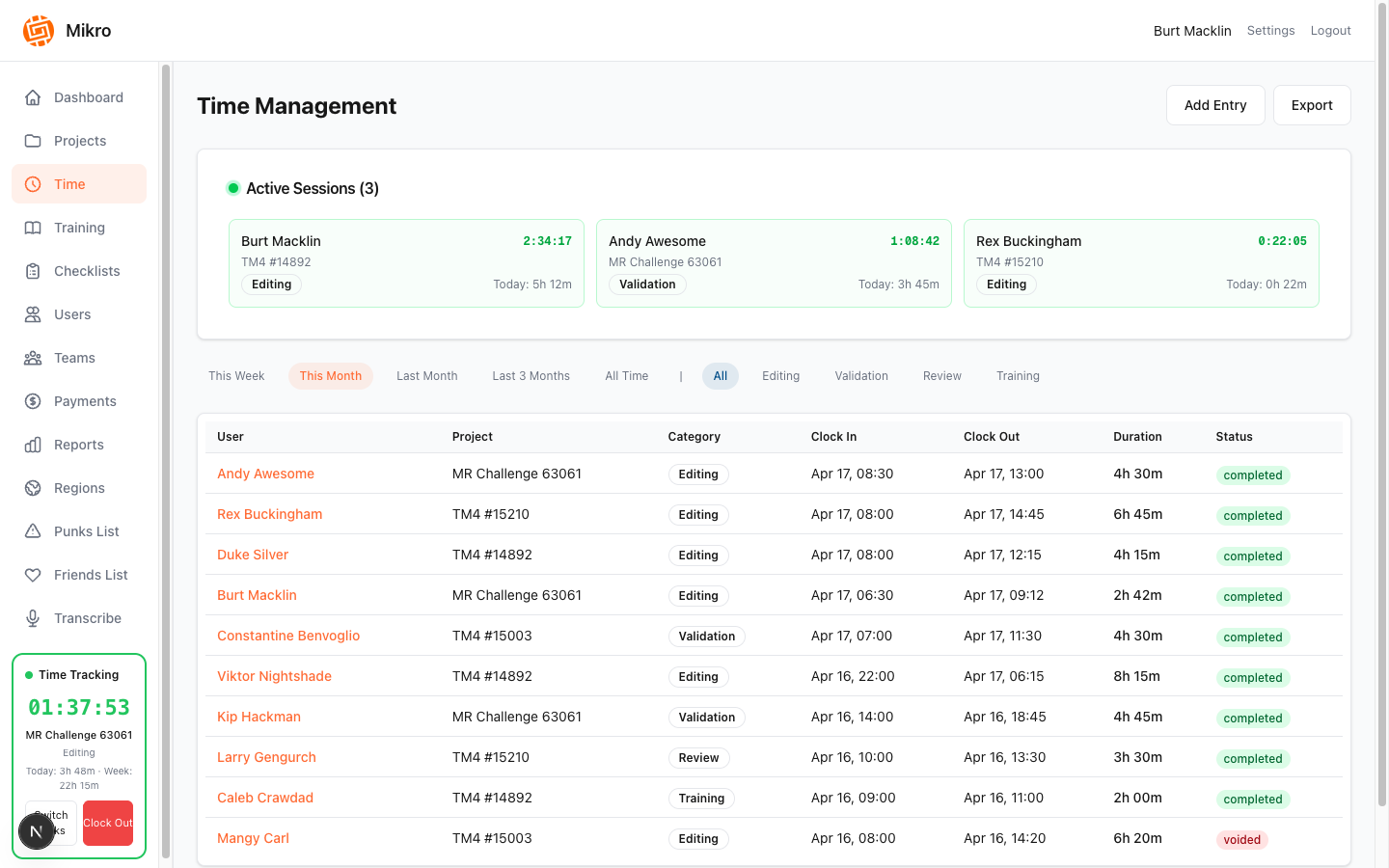
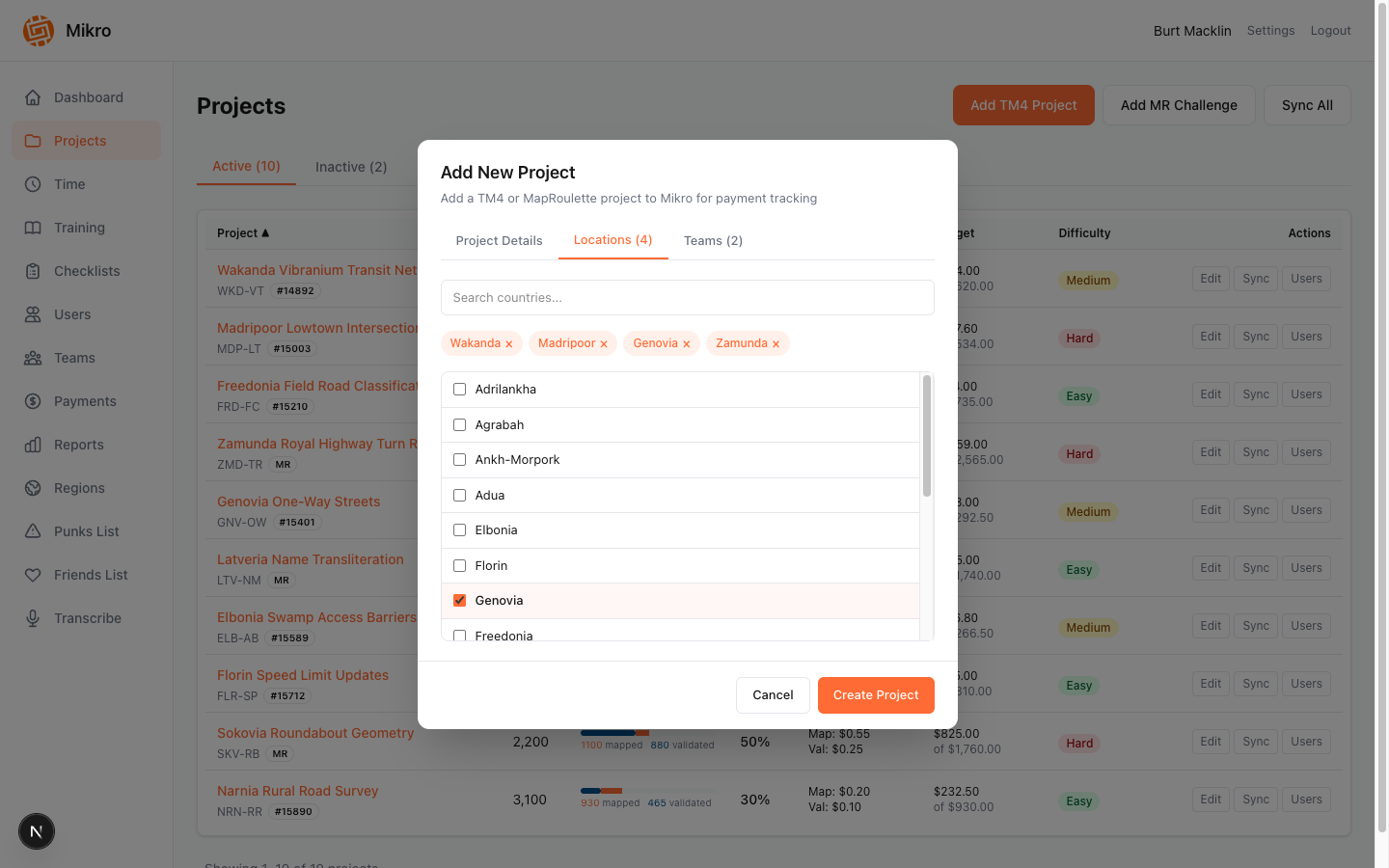
Product tour
Everything your mapping operation runs on
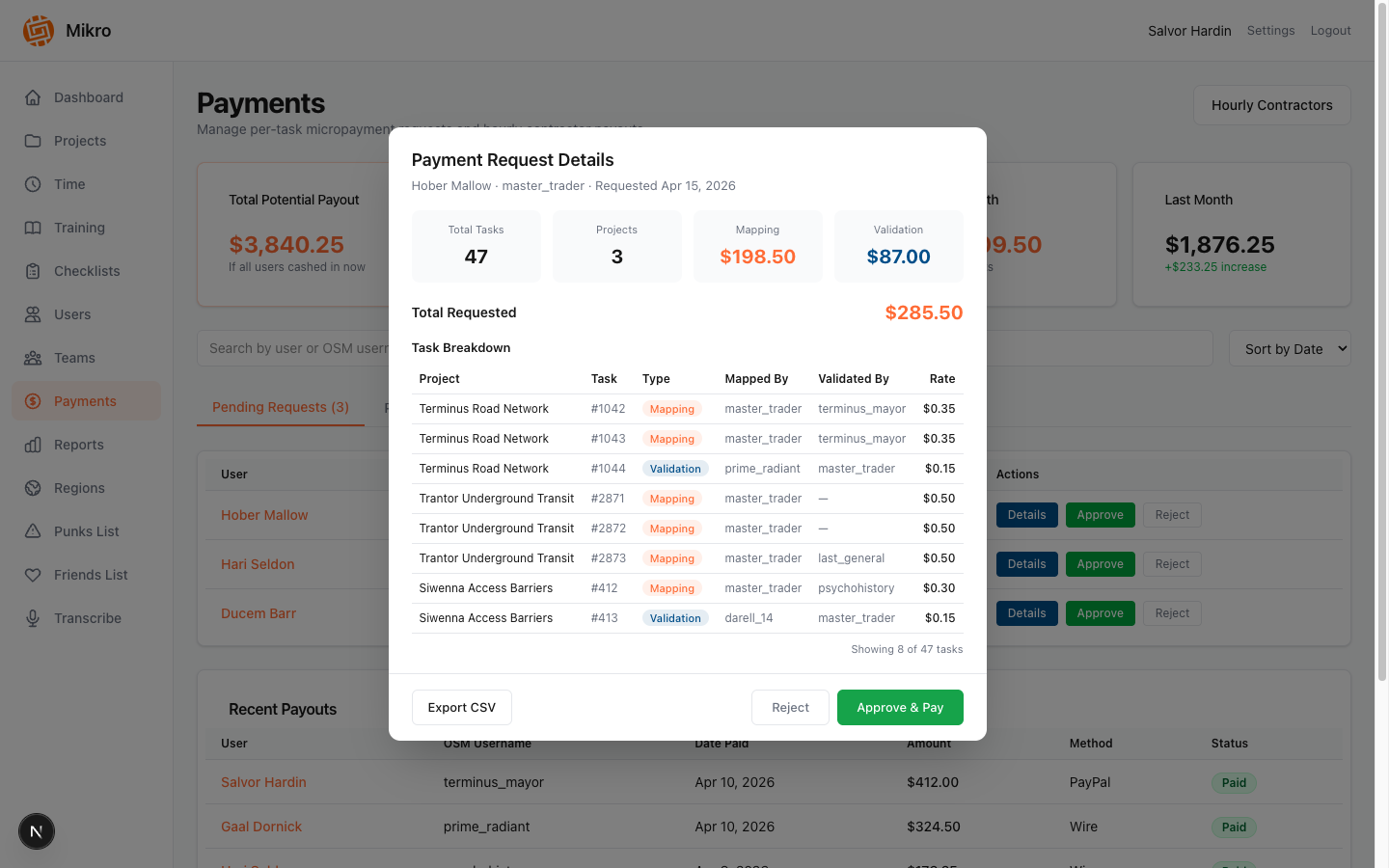
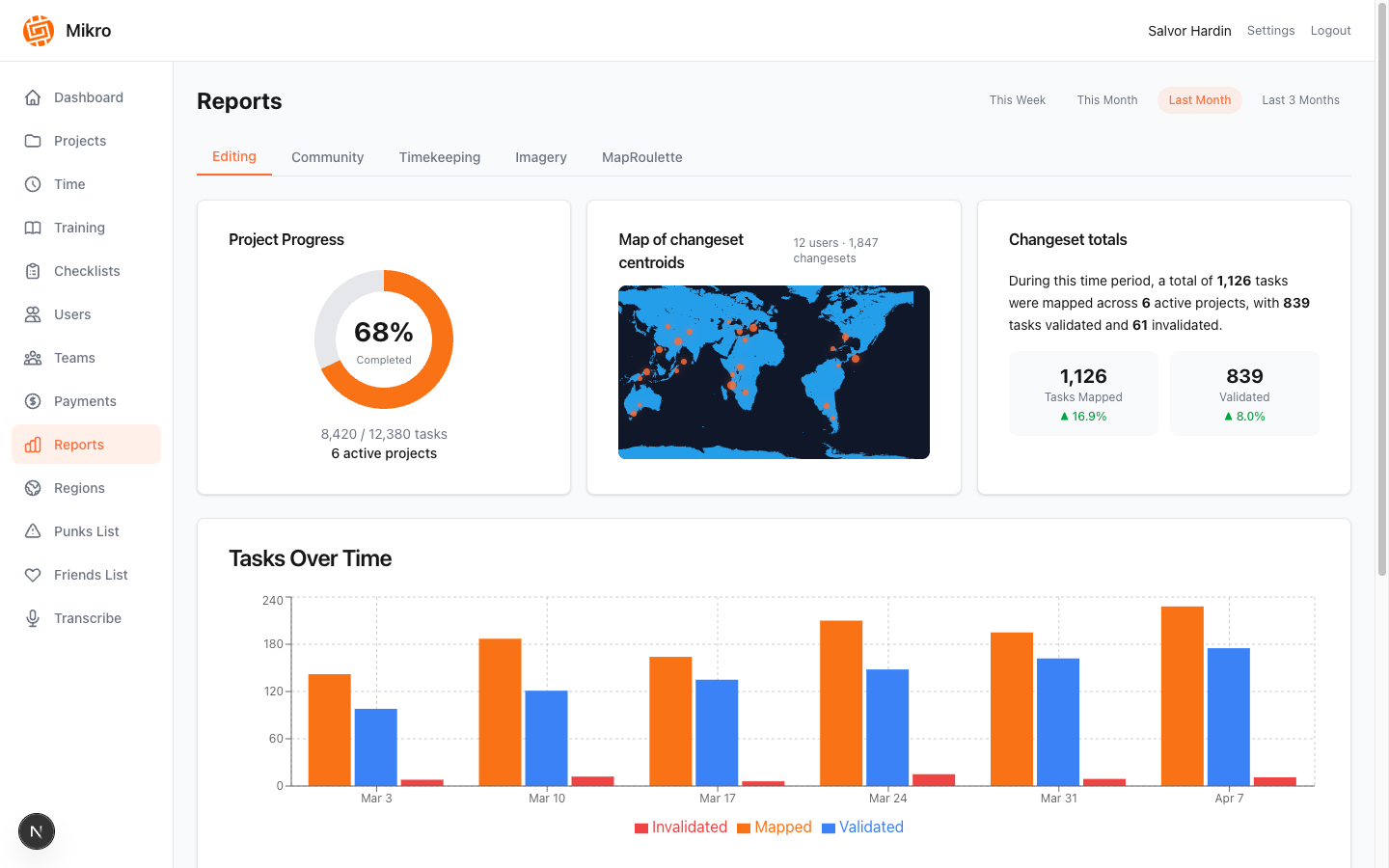
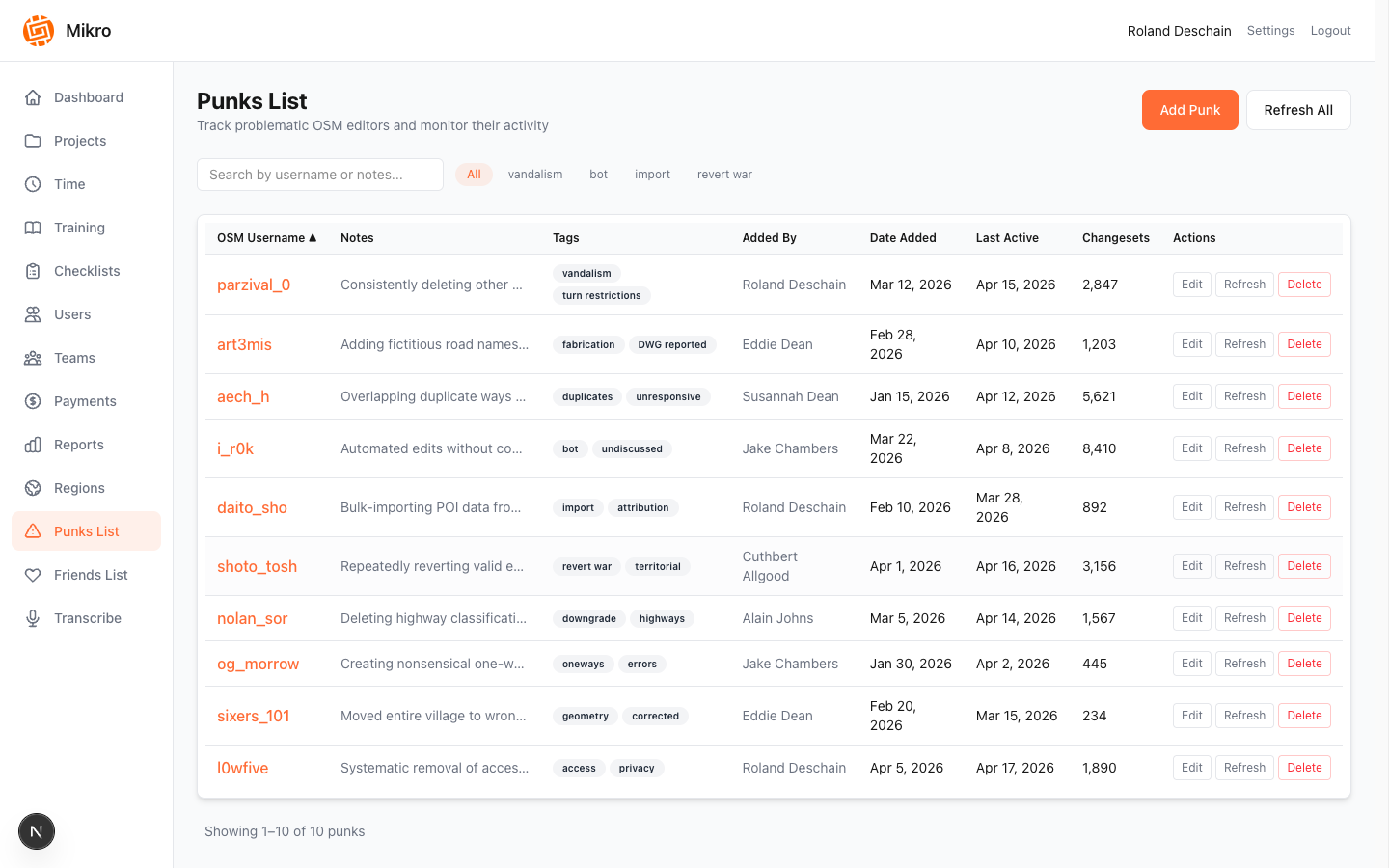
Click through the platform — from contributor profiles to weekly reports.
And more
The rest of the workflow
Training
Per-project modules and questions with completion tracking before mappers start.
Scheduling
Recurring weekly availability with date exceptions, so you know who's around.
Teams & organizations
Multi-tenant by organization, with team admins scoped to just their people.
Secure sign-in
Single sign-on with optional, verified OSM account linking.
How it works
From first changeset to payday
Mikro handles the busywork between mapping and paying.
Connect
Link your OSM account and join your organization's teams and projects.
Map & validate
Tasks sync in from TM4 and MapRoulette and are attributed to the right people.
Track & review
Clock time, complete training, and watch quality through changeset analytics.
Get paid
Payment requests and cycles roll up per-task and hourly work in one place.
Payments
How a payment happens
Every task and every hour ends up in one payment request.
Who it's for
Built for every seat on the team
Do the work
- See your tasks & earnings
- Clock time by activity
- Complete project training
- Set weekly availability
Keep quality high
- Validate mapped work
- Review contributor stats
- Flag issues early
Lead your team
- Manage your team's roster
- Approve payments & time
- Generate weekly reports
Run the operation
- Org-wide visibility
- Projects, regions & rates
- Watchlists & analytics
FAQ
Common questions
Do I need an invitation?
Yes. Mikro is invite-only for now, and accounts are tied to an organization. Use “Request access” to get in touch about early access.
Does Mikro replace Tasking Manager or MapRoulette?
No. You keep mapping where you do today. Mikro syncs the work from TM4 and MapRoulette, then handles time, quality and payment around it.
How do I get paid?
Depending on your setup, you're paid per task, by the hour, or per project. Your approved work is rolled into a payment request and a payment cycle.
Who can see my data?
You see your own tasks, time and earnings. Team admins see only the teams they manage, and organization admins see their organization's data.
Do I need to link my OSM account?
Linking is how your mapping work is attributed to you, so you'll want to do it. Mikro verifies the link through OpenStreetMap's own sign-in.
Ready to run mapping work the modern way?
Log in with your organization account, or request access and your admin will send an invitation.
Questions? Contact us at [email protected] or (970) 234-7449

Mikro is invite-only — for now
Mikro is currently an in-house tool at Kaart and access is limited to invited teams. We're actively working on opening the platform up to companies and individuals outside Kaart.
Interested in early access or want to learn more? We'd love to talk. Reach out and we'll be in touch:
[email protected]